
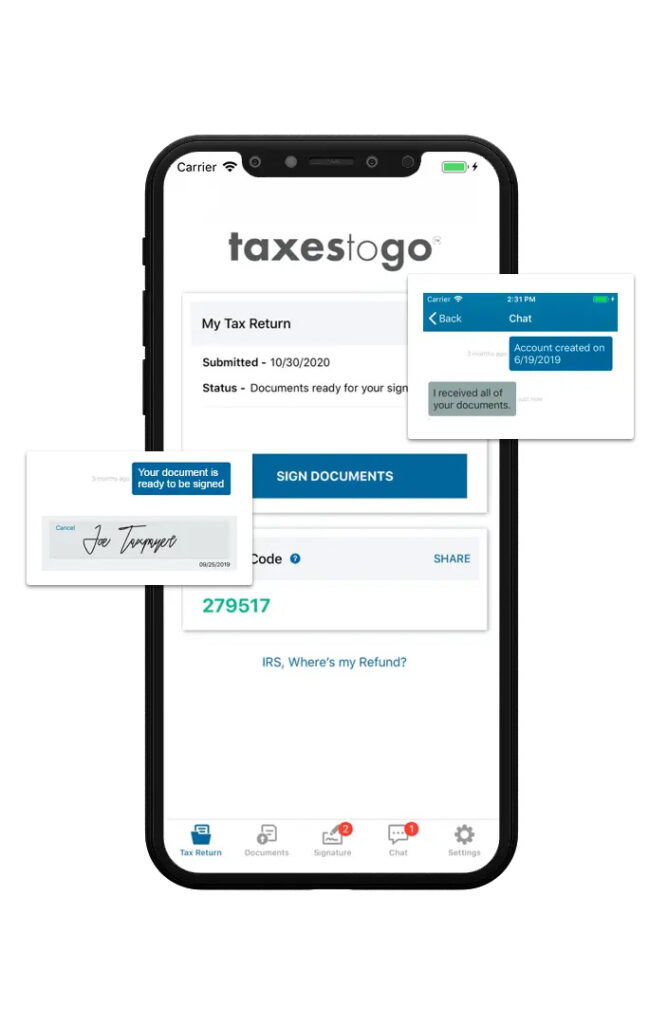
Connect with your clients through Taxes ToGo® Mobile App
Carry your business with you.Wherever you go.

Fast
Easy
Secure
Go Remote
FAQs
Does the TaxesToGo™ app eliminate the need for a preparer?
No. In fact, this app strengthens the relationship between the preparer and the client and increases retention. Taxes ToGo™ is a communication tool between the client and the preparer. Send messages, documents, and signatures safely and securely. The preparer will then fill out the tax return with the information sent over by the client.
Where can my customers download the app?
They can download the app from your unique link provided when you purchased the software, the Google Play store, or the App Store.
How do customers get my branded app?
Your customers will get your branded app by using the custom Link that is created in Account Hub. After they put in their information in the referral link, the app will be branded once they login.
Why don’t I see my branded app in the app store?
Your branded app will not be shown in the app store. The branding is just a filter over the base Taxes ToGo™ app. The branding is applied when the user logs into the app with the information entered on the Referral Link screen.
What if my client doesn’t have a smart phone?
We also have a client portal accessible from any computer that your clients can use to send signatures.
Will information from last year’s app pull forward into this year?
No. For security purposes, every year we completely build the app from the ground up. Any information entered by the user into the app is only specific to the current year.
Does the information from the documents my client sends over automatically upload into the program?
The information from the documents will not automatically pull into the programs. You will need to view/print the documents to complete the tax return.
My customer accidentally downloaded the generic app. Can I switch it to branded?
Unfortunately, once the account has been created there isn’t a way to switch from generic to branded. The user will need to uninstall the app and create a new account with a different email.